Mobile app for the self-employed

Track your income and expenses in one app

Bookkeeping records for sole traders, freelancers and contractors in Leeds

Log payments and costs as they happen, sort them by category and see your running totals before tax time.

  • Record income and expenses in a few taps
  • Photograph receipts and attach them to entries
  • Monthly summaries by client and category
  • Export records as a spreadsheet for your accountant
Request a demo
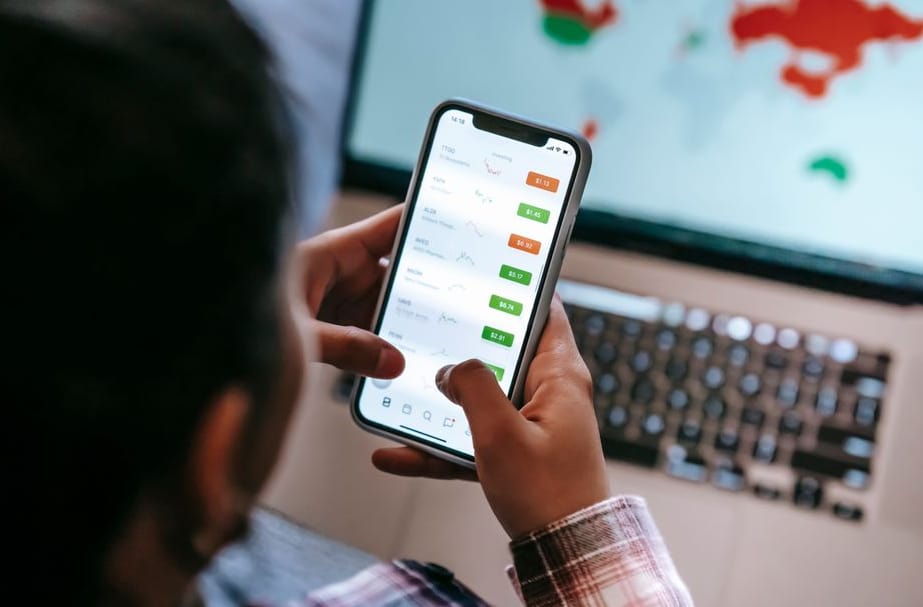
Self-employed person reviewing income and expense records in a mobile app
Why Mizoho

What the app does for your day-to-day bookkeeping

Mizoho has been built since 2019 with input from freelancers, tradespeople and sole traders around Leeds. These are the nine features people use most often.

Entry in under ten seconds

Log a payment with an amount, a category and an optional note. Recent clients and common expense types are suggested as you type, so a typical entry takes a few taps rather than a full form.

Receipt photos attached to entries

Take a picture of a paper receipt and link it to the matching expense. The image is stored with the entry, so you can find the original proof of purchase months later without searching through a drawer.

Categories for self-employed work

Default categories cover travel, equipment, software subscriptions, office costs and professional fees. You can rename them, add your own, or hide the ones that do not apply to your line of work.

Monthly and yearly summaries

See income, spending and the difference between them for any month or for the whole tax year. Figures are shown in pounds sterling, and a simple chart makes it easy to spot a quiet month before it becomes a problem.

Tax set-aside estimate

Choose a percentage of each payment to set aside for your tax bill. The app keeps a running total, so when a payment deadline approaches you can see roughly how much to put away. It is an estimate, not tax advice.

Recurring items handled once

Rent for a studio, a phone contract or a monthly software licence can be entered a single time and set to repeat. Each occurrence appears on the right date and you can edit or stop it whenever the amount changes.

Export for your accountant

Download your records as a CSV or PDF file for any date range. Entries, categories and receipt references are laid out in columns an accountant can read, which saves back-and-forth emails at the end of the year.

Protected with a PIN or fingerprint

Access can be locked with a PIN or your phone's biometric check. Data is encrypted in transit and stored on secured servers, and you can delete your account and all linked records from the settings screen.

Replies from a real support team

Questions go to our team of 20 based in Leeds. We usually reply within 24 hours on working days, by email or phone, and the office is open Monday to Saturday, so you are not left waiting over a long weekend.

Plans and services

What Mizoho offers

Eleven services cover the day-to-day bookkeeping of a sole trader: logging money in and out, sorting receipts, preparing figures for tax. Each item below lists what is included, the price and the billing terms.

Income Tracker

Record every payment you receive by client, invoice number and date. Entries can be typed in or imported from a bank statement file. Totals update by week, month and tax year, so you can see where earnings stand at any point.

From £4.99 / monthMonthly billing, cancel any time

Expense Logging

Add costs in a few taps and attach a category such as travel, tools, software or phone. Each entry stores the amount, supplier name and date. Recurring costs like rent or subscriptions can be set once and repeat automatically.

From £4.99 / monthIncluded with Income Tracker

Receipt Scanning

Photograph a paper receipt and the app reads the total, date and supplier, then files the image against the matching expense. Scans are stored in an encrypted folder and can be exported as PDF whenever an accountant asks for them.

£2.50 / month add-onUp to 150 scans per month

Invoice Creation

Build an invoice from a saved template with your business details, payment terms and bank information. Send it as a PDF by email, then mark it paid when the money lands. Overdue invoices are highlighted on the home screen.

£3.99 / month add-onUnlimited invoices per account

Tax Estimate

The app sets your profit against current Income Tax and Class 4 National Insurance bands and shows a running estimate of what you may owe. It is a planning figure only, so it should be checked against your own circumstances before filing.

£3.50 / month add-onEstimate refreshed after every entry

Tax Pot Reminders

Choose a percentage of each payment to set aside for your tax bill. The app tracks how much should be in your savings pot, alerts you before the January and July payment dates and shows any shortfall in plain figures.

£1.99 / month add-onReminders by push or email

Bank Statement Import

Upload a CSV or OFX file from most UK current accounts and the app matches lines to existing entries. Unmatched transactions go into a review list where you assign a category once; similar lines are then sorted automatically.

£2.99 / month add-onManual upload, no bank login needed

Monthly Reports

Get a one-page summary each month showing income, costs, profit and the biggest spending categories. Compare against the previous month or the same month last year. Reports download as PDF or spreadsheet for your own records.

£2.50 / month add-onGenerated on the first of each month

Mileage Log

Record business journeys with start point, destination and distance in miles. The log applies the HMRC simplified mileage rates of 45p for the first 10,000 miles and 25p after that, and keeps a dated trip list ready to print.

£1.99 / month add-onManual entry or saved routes

Accountant Export

Package a full year of entries, receipts and reports into one folder your accountant can open without installing anything. Choose the date range, check the contents list and share through a secure link that expires after 14 days.

£9.00 per exportOne-off charge, no subscription needed

Setup Help Session

A 30-minute video or phone call with a member of the Mizoho team who walks you through account setup, category choices and your first bank import. Sessions run Monday to Saturday and a written summary follows the same day.

£15.00 per sessionBook online, replies within 24 hours

All prices include VAT where applicable. Add-ons are billed monthly alongside the base plan and can be switched off from the account screen. Tax figures shown in the app are estimates and do not replace advice from a qualified accountant.

Newsletter

Get a short money-tracking note once a month

Each issue covers one practical topic for self-employed people: how to keep receipts in order, how to set money aside for a tax bill, or how to read your monthly income report. We also announce changes to the Mizoho app before they go live.

  • One email per month, around a five-minute read
  • Worked examples in pounds sterling
  • Release notes for new app features

You can unsubscribe at any time using the link at the bottom of every email. We do not share your address with third parties.

Client feedback

What self-employed people in Leeds say about Mizoho

Mizoho has been used by around 980 clients since 2019, and 220 of them came back for further work. These are seven comments from people who track their income and expenses with the app, including the ones that mention things we still need to improve.

★★★★★
5 / 5

Receipts without the shoebox

I'm a self-employed electrician and for years my receipts lived in a carrier bag in the van. I now photograph each one at the till, pick a category, and it is logged against the right job. When my accountant asked for figures in January, I exported a spreadsheet in about ten minutes. Last year the same task took me a whole weekend.

DH

Daniel Hartley

Electrician, Headingley

★★★★★
5 / 5

Simple to start

Set up in one evening. Nothing confusing, and I haven't needed the help page once.

PS

Priya Sharma

Freelance copywriter, Chapel Allerton

★★★★★
4 / 5

Quarterly tax estimate

The running estimate of what I'll owe at the next payment date is the feature I check most. It has kept me from spending money that wasn't mine. My only complaint is that mileage has to be entered by hand rather than picked up from my phone's location, which is a nuisance on days with six or seven stops.

TB

Tom Bradshaw

Mobile mechanic, Armley

★★★★★
5 / 5

Replies when you actually need them

I switched from a spreadsheet after mixing up two invoices and paying tax on income that had not arrived yet. I sent Mizoho a question about how to mark an invoice as unpaid but already issued, and had a clear written answer the next morning. The team showed me how to split one client payment across two projects, something I had assumed was impossible in an app. Three months in, my bookkeeping is the tidiest it has been since I started trading, and I no longer dread the end of each month.

EW

Eleanor Whitfield

Photographer, Roundhay

★★★★★
3 / 5

Good basics, a few gaps

Logging income and expenses is quick and the monthly summary is easy to read. I'd give it more stars if I could attach several documents to a single entry; at the moment it is one image per expense, so a purchase with a receipt and a warranty card needs two entries. Reports also don't separate categories I set up myself from the default ones. I still use it daily, but I'm waiting on those two changes.

MO

Michael O'Connor

Joiner, Kirkstall

★★★★★
4 / 5

Worth the monthly cost

Compared with the accountant fees I used to pay for sorting out my paperwork each spring, the subscription is small. The app pays for itself in the first quarter. I'd like a wider choice of export formats, as my accountant prefers a different file type from the one offered.

AK

Amara Kelly

Personal trainer, Meanwood

★★★★★
5 / 5

Irregular income, finally visible

My earnings swing a lot between months, which made planning difficult. The income chart shows the gaps clearly, and I now set aside a fixed share of every payment the day it lands. Having that picture on my phone changed how I price my work. I raised my day rate by a modest amount after seeing the numbers laid out properly.

JT

James Thornton

Graphic designer, Horsforth

Comments reflect individual experiences with the app and do not predict tax outcomes. Mizoho is a record-keeping tool and does not replace advice from a qualified accountant.

About Mizoho

A bookkeeping tool built for people who work for themselves

Mizoho started in Leeds in 2019. The first version was a spreadsheet shared between a handful of freelancers who were tired of rebuilding their records every January. A designer, a joiner and a part-time driver all had the same complaint: receipts in coat pockets, invoices paid weeks late, and no clear picture of what was actually theirs to keep. We turned that spreadsheet into a mobile app, and it has grown into a team of 20 people working from Roundhay Road.

Today the app records income and expenses, sorts them into categories, and shows a running view of what has come in, what has gone out and what is set aside for tax. We have worked with 980 self-employed clients so far, around 140 each year, and 220 of them came back for a second job with us. That repeat work matters to us more than any headline figure.

Mission and vision

Our mission is plain: make everyday record keeping short enough that people actually do it. A sole trader should be able to log a purchase in under a minute, standing in a shop or sitting in a van. Our vision is a self-employed person who always knows where their money stands, without needing an accountant to explain a screen.

Core values

  • Clarity first. Every figure in the app shows where it came from, so you can trace a total back to the entries behind it.
  • Your data stays yours. You can export your records at any time, and we do not sell or share them.
  • Honest scope. The app helps you keep records. It does not replace professional tax advice, and we say so wherever it matters.
  • Reply quickly. A typical request to our support team gets an answer within 24 hours.

Experience and expertise

Over seven years we have completed 1,234 jobs across 11 services, from first-time setup to cleaning up a year of messy entries. We currently serve clients in 5 areas of Leeds and the surrounding region. Our team combines software development, bookkeeping knowledge and plain customer support, and most of what we build comes directly from questions clients ask us at the counter or by email.

Mizoho office interior in Leeds with workstations and a meeting table Team workspace where the Mizoho app is designed and tested
2019

Year founded

20

People on the team

980

Clients served

1,234

Jobs completed

The people you will deal with

Daniel
Product Lead

Decides what goes into each release and tests every change on a real phone before it ships.

Priya
Bookkeeping Specialist

Reviews expense categories and helps clients tidy up records that have fallen behind.

Tom
Client Support

Answers incoming requests, walks new users through setup and passes recurring questions back to the product team.

Mizoho in figures

What our work looks like in numbers

These are the totals from our records since we started in 2019. They describe the volume of work and the size of the team, nothing more.

1234

Jobs completed

Counted across all 11 services since 2019.

980

Clients served

Self-employed people and sole traders, in total since 2019.

220

Clients came back for a second job

People who returned to us after their first piece of work.

140

Clients a year

The usual yearly intake we plan our time around.

20

People on the team

Working from our office on Roundhay Road in Leeds.

5

Districts covered

Areas in and around Leeds where we currently work.

Figures are taken from our own records and updated as of October 2026. We typically reply to a new request within 24 hours.

Questions and answers

What self-employed people ask before they start

These are the questions we hear most often from sole traders, freelancers and contractors in Leeds and the surrounding areas. The answers describe how the Mizoho app works, what it records and what it leaves to you and your accountant.

The app records money coming in and money going out for a self-employed business. You add an entry in a few taps, assign it a category, attach a photo of the receipt if you have one, and the app keeps a running total for the week, the month and the tax year.

It is a record-keeping tool. It does not file returns on your behalf and it does not replace advice from a qualified accountant, but it gives you tidy, dated figures to work from when the time comes.

It is built for sole traders and small independent operators: tradespeople, drivers, hairdressers, photographers, tutors, consultants, market sellers and similar. Most of our 980 clients to date work alone or with one or two helpers, and invoice a mix of private customers and small businesses.

If you run a limited company with employees, payroll and several directors, you will probably need full accounting software alongside or instead of this app.

Open the app, tap the plus button and choose "Expense". Enter the amount, pick a category such as fuel, tools, phone or insurance, and take a photo of the receipt with the built-in camera. The date and time are filled in automatically, though you can change them if you are logging something from yesterday.

Most people finish an entry in under twenty seconds. You can also save a note, for example the job or customer the cost relates to, so it is easier to find later.

Yes. Each income entry can carry a customer name, an invoice reference and a payment method: cash, bank transfer, card reader or online payment. You can mark an invoice as "sent" and later as "paid", so you can see at a glance which customers still owe you money.

Part-payments are supported too. If a customer pays a deposit of £150 on a £400 job, you log the deposit now and the balance when it arrives, and the app links both to the same job.

The app shows an indicative figure for the profit you have recorded so far in the tax year, which is income minus allowable expenses as you have categorised them. You can set aside a percentage of each payment as a tax reserve, and the app tracks that pot separately.

This is an estimate to help you plan, not a tax calculation. Your real liability depends on your full circumstances, allowances and any other income, so please confirm the final numbers with an accountant or with HMRC guidance.

The app starts with a set of common categories: vehicle and fuel, tools and equipment, materials and stock, phone and internet, insurance, professional fees, advertising, travel, training, and office or workspace costs. Each one can be renamed or hidden.

You can add your own categories as well. A mobile mechanic, for instance, might add "parts from suppliers" and "van consumables" as separate lines. Whether a particular cost counts as an allowable expense is a tax question, so the app keeps the category label separate from any tax treatment.

Yes. You can log a journey by entering the start and end points and the distance in miles, or by using the trip timer while you drive. Each trip is stored with a date, a purpose and the vehicle used, which is the information most people are asked for when they need to justify a mileage claim.

The app multiplies the miles by the rate you choose in the settings. Rates change, so check the current figures on the government website before you rely on a claim.

Your records are stored in an encrypted form on the device and in your account backup. You can lock the app with a PIN, fingerprint or face recognition, so a borrowed or lost phone does not expose your figures.

We do not sell personal or financial data to third parties, and we do not use your entries for advertising. The privacy policy on this site sets out what is collected, why it is needed and how long it is kept, and you can request deletion of your account at any time.

If you have switched on account backup, your entries, receipt photos and settings are restored when you sign in on the new device. Backups run automatically whenever the phone is connected to Wi-Fi, and you can start one by hand from the settings screen.

Without a backup, the data exists only on the old handset. We therefore suggest turning backup on in the first week of use. If you are stuck, write to [email protected] and we usually reply within 24 hours.

You can export any date range as a spreadsheet file or a PDF summary. The export lists every income and expense line with its date, category, amount and note, and the receipt images can be bundled in a separate folder.

Many accountants prefer the spreadsheet because they can import it directly. It is worth asking yours which format they like before the end of the tax year, so you can send the right file the first time.

Yes. Adding entries, editing them and taking receipt photos all work offline, which matters if you spend the day in cellars, on rural jobs or in buildings with poor signal. The data is saved on the phone straight away.

Once the device reconnects, the app syncs in the background. Backup, export by email and software updates need a connection, but day-to-day logging does not.

Most people are ready to log their first entry in about ten minutes. You create an account, choose your trade, confirm your tax year start and select the categories you want to see. Nothing else is compulsory.

If you already keep records in a notebook or a spreadsheet, you can import past entries from a spreadsheet file so that the current tax year is complete from the first day. Our team can walk you through the import if the file layout is unusual.

Yes. Support is handled by a team of 20 people based in Leeds, and a typical reply to an emailed question arrives within 24 hours. You can also phone us on +44 113 824 5917 during opening hours: Monday to Friday 08:30 to 16:30, Saturday 09:30 to 15:00.

We can explain how a feature works, help you fix a sync problem or point you to the right section of the guide. We cannot give tax or legal advice, so questions about what you may claim should go to an accountant.

The basic version, with manual entries, categories and monthly summaries, is free to download and use. Paid plans add receipt storage, mileage tracking, exports and automatic backup. Current prices in pounds are shown on the pricing page and inside the app before you confirm any purchase.

Paid plans are billed monthly or annually, and you can cancel at any time from your account settings. When you cancel, your data stays available for export, so you do not lose your records by leaving.

Your question is not listed?

Send it to [email protected] or call +44 113 824 5917. You can also visit us at 75D Roundhay Road, Leeds, LS2 0WQ during opening hours.

You may find more detail on our contact page and in the privacy policy.

Contact

Send us a message

Questions about setting up the app, importing past records or how invoices and receipts are stored? Write to us and a member of the team will reply within 24 hours on working days.

Request form

Please do not include bank details or passwords in your message.

Mizoho in Leeds

  • Email [email protected]
  • Phone +44 113 824 5917
  • Address 75D Roundhay Road, Leeds, LS2 0WQ
  • Business hours

    Monday to Friday: 08:30-16:30
    Saturday: 09:30-15:00
    Sunday: closed

Our office is on Roundhay Road, on the north-east side of Leeds city centre. Open the location in maps

Disclaimer

The information on this website is provided "as is" and, to our knowledge, is accurate at the time of publication. Mizoho may change or remove content without prior notice. We do not accept liability for errors, omissions or delays in updating. Tax and accounting rules differ between situations, so please verify important matters with a qualified accountant or financial adviser.

Mizoho, 75D Roundhay Road, Leeds, LS2 0WQ. Questions: [email protected]